Your Ohio registration lives in one place, and getting into it takes just a few steps. Once your physician adds you, you can log in to the Ohio Medical Marijuana Patient & Caregiver Registry to activate your card, and Ohio no longer charges a state fee to activate or renew. Your physician creates your profile, you activate your card, and you return each year to renew.
This guide walks you through activating your card, logging in, renewing, and fixing common account problems. You will also find the rules for caregivers, how patient privacy works, and what federal firearms law means for patients. By the end, you will know exactly what to do at every step of your registration.
What Is the Ohio Medical Marijuana Registry?
The state’s Division of Cannabis Control, part of the Ohio Department of Commerce, runs the registry, an online portal built for patients and caregivers. Both groups finish their registration by activating a registry card inside it, and that card is what makes you a registered medical marijuana patient or caregiver.
Under Ohio’s registration rule, you must register before you buy, possess, or administer medical cannabis, and you must carry your registry card whenever you possess it. Once your card is active, take it to a dispensary with the government-issued photo identification (ID) tied to your account. Products are bought at the dispensary, never in the registry.
Your card lists your name, date of birth, role as a patient or caregiver, and registry ID number. It also shows when your registration was issued, when it expires, and when your recommendation expires. After you log in, you can do the following:
- Activate your card: Finish your registration after your physician adds you.
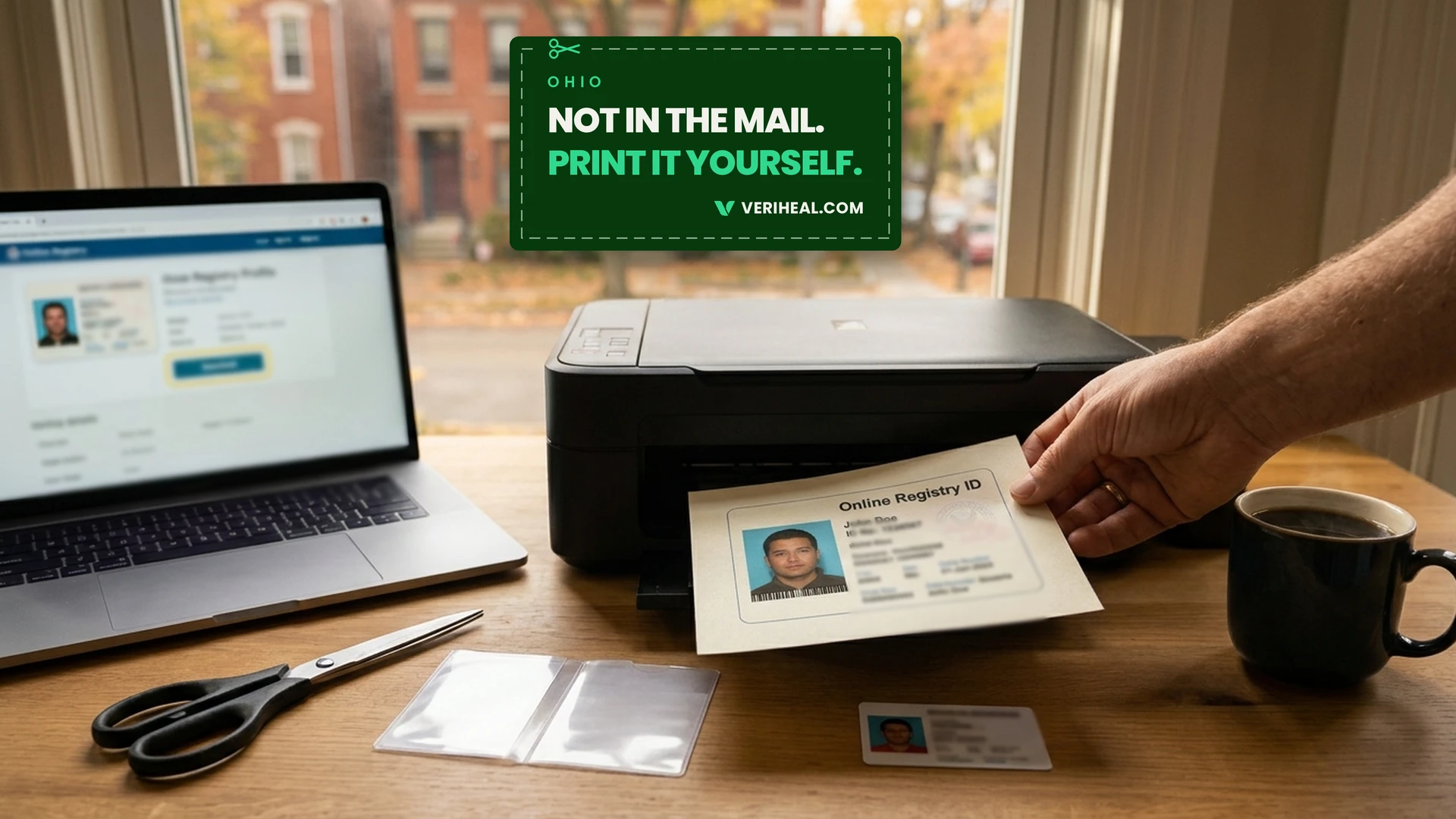
- View and download your card: Your card appears on your profile, and the Download button lets you print or save a copy.
- Check your expiration dates: Both your registration and recommendation dates are listed on the card.
- Renew your card: Select Renew Card once your physician issues a new recommendation.
How Do You Get Access to the Registry and Log In?
You cannot sign up for the registry on your own. Your physician starts the process by creating your profile and entering your recommendation. The registry then emails you, and you finish the rest yourself.
How do you activate your registry card?
After your physician adds you, follow these steps in order:
- Get your recommendation: See a physician who holds a certificate to recommend from the State Medical Board of Ohio. If the physician finds you have a qualifying condition, the physician enters your recommendation and creates your profile.
- Find the activation email: Look for the Ohio Medical Marijuana Registry User Activation email in the inbox of the address you gave your physician. Check your spam and junk folders if you don’t see it.
- Create your password: Select the link in the email to reach the password page. Use at least eight characters, with one uppercase letter, one lowercase letter, and one special character.
- Sign in and choose your time zone: Enter your email and password, select your preferred time zone, and save your preferences.
- Select Activate Card: In the Registry Details section, open the Card tab and select ACTIVATE CARD.
- Accept the legal statements and continue: Read the statements, select ACCEPT, check your profile summary, and select Continue. A message then confirms your card is activated.
- Save your card: Your card now appears in your profile. The registry does not mail it, so select Download to print or save a copy.
You have 90 days from the date of your recommendation to finish steps 2 through 7. If you miss that window, your recommendation is voided, and you need a new one from your physician. Ohio’s patient registration rule sets out the registration requirements.
To plan your timeline, read Veriheal’s guide on how long it takes to get a medical card. For more on online visits, read Veriheal’s guide on telemedicine for medical cannabis in your state. Your physician can tell you whether any in-person follow-up applies to you.
How do you log in after activation?
Once you have activated your account, signing in takes three steps:
- Go to the sign-in page: Open the registry sign-in page at www.ohiomedicalcannabisregistry.com.
- Enter your details: Type the email address your physician registered and your registry password.
- Select Sign in: Then open the Card tab in the Registry Details section to see your card.
The registry logs you out after 20 minutes without activity, and it warns you one minute before that happens. Passwords also expire every 90 days, and the registry emails you before that date.
What Does Activation Cost?
Activating or renewing your registry card is now free. Ohio’s Division of Cannabis Control dropped the patient and caregiver registration fee on May 15, 2024, according to its announcement as republished by Loveland Magazine. You simply confirm your information and select Activate Card or Renew Card, with no payment step.
The fee used to be $50 a year for patients and $25 for caregivers. The Division first cut it to $0.01 on March 4, 2024, as its February 2024 notice explains, then removed it entirely. Your physician’s visit is a separate cost, and the provider sets that price.
How Long Does Your Registration Last?
According to Ohio’s administrative code, a patient registration is valid for one year. It expires on the last day of the month in which it was issued. Your recommendation has its own expiration date, and your registry card shows both dates.
The Division sends a notice 45 calendar days before your registration expires. If you don’t renew, your registration card expires automatically. You must then dispose of all medical cannabis within seven calendar days of the expiration.
How Do You Renew in the Registry?
Renewal has two steps, as the Division’s renewal page explains:
- Get a new recommendation: Ask your recommending physician for a new medical cannabis recommendation.
- Sign in and select Renew Card: Sign in with the email and password you used at activation, then select the red RENEW CARD button.
After renewal, your updated card appears on the left side of your profile with a new expiration date. Select Download to print or save it.
You can renew within 30 days before your registration expires. If your registration has already expired, you can renew after you receive a new recommendation. The registry also sends an automated reminder email before your registration expires.
The table below shows your next step in each situation.
| Your situation |
What to do |
| Your registration expires in 30 days or less |
Ask your recommending physician for a new recommendation. Then sign in and select the red RENEW CARD button. |
| Your registration has already expired |
Get a new recommendation first. You can renew after your physician issues it. |
| Your registration and recommendation have both expired |
Get a new recommendation before you try to renew. The RENEW CARD button appears in your account after your physician issues it. |
For the third situation, the Division says the button appears only after the new recommendation is issued. If you don’t see it, ask your physician to confirm the recommendation is in the registry.
Senate Bill 56 (SB 56) took effect on March 20, 2026. The Legislative Service Commission’s final analysis of SB 56 does not list any changes to patient registration or renewal steps. Check the Division’s renewal page before you renew in case its steps have been updated.
What Should You Do If You Have Trouble With Your Registry Account?
A locked account or a missing email can feel like a dead end, but each problem below has a quick fix. Start with the heading that matches what you’re seeing, and you’ll find the fix.
Your activation email didn’t arrive or the link expired
The activation email goes to the address you gave your physician. Check your spam and junk folders first. If the email isn’t there, or your activation link has expired, email the Medical Marijuana Control Program at MMCPRegistry@com.ohio.gov.
If the address on file is wrong, ask your physician to verify and correct it. Remember that you have 90 days from your recommendation date to finish registering.
You forgot your password
You can reset your password from the sign-in page:
- Select Reset Password: On the sign-in page, choose Reset Password.
- Enter your registry email: Type the email address tied to your account, then select Send me reset password instructions.
- Open the reset email: Look for the Ohio Medical Marijuana Reset password Instructions email, then select Change my password.
- Set a new password: Use at least eight characters, with one uppercase letter, one lowercase letter, and one special character. You cannot reuse your last five passwords.
If the reset email doesn’t arrive, check your junk and spam folders. Then add no-reply-pmpaware@globalnotifications.com to your contacts and restart the reset. If it still doesn’t show up, email MMCPRegistry@com.ohio.gov.
Your password expired
Registry passwords expire every 90 days, and the registry emails you before that happens. If you sign in with an expired password, you see a message asking you to renew it. Enter your expired password in the Current password field, then create a new one that meets the requirements.
You see a sign-in error
These messages can appear when you sign in:
- Invalid Email or Password: The email isn’t registered, was typed incorrectly, or the password is wrong. Check your typing, and ask your physician to verify the email on file if you suspect it’s wrong.
- Account locked: After three failed attempts, the registry locks your account for ten minutes. Wait the full ten minutes before you reset your password.
- Password Token is Invalid: This error can appear after a reset. Clear your browser’s cache and cookies, then try again in a new window or a different browser.
If these steps don’t work, submit a support request with your first and last name, phone number, and email address.
Your card expired, and Renew Card isn’t showing
If both your registration and recommendation have expired, the Division says you must get a new recommendation first. The RENEW CARD button appears after your physician issues it. Contact your recommending physician to confirm the new recommendation is in the registry.
Your profile information is wrong
Ohio rules require you to notify the Division of changes to your registration information within 30 calendar days. If your email address is wrong, ask your physician to verify and correct it. For other errors, contact the Division using the details below.
How do you contact the Division?
Call the Ohio Medical Marijuana Toll-Free Helpline at 1-833-4OH-MMCP (1-833-464-6627), or email MMCPRegistry@com.ohio.gov. The Division lists both for questions about your registry card.
How Does Registry Access Work for Caregivers?
Caregivers use the same registry as patients, but they register separately and receive their own registry card. A caregiver must register with the Division before serving a registered patient, according to Ohio’s caregiver registration rule. The physician submits the registration on the caregiver’s behalf, so neither you nor your caregiver can add one alone. Sharing your login does not count, because registrations are non-transferable.
These rules apply to caregivers:
- Eligibility: A caregiver must be at least 21 years old and an Ohio resident. The rule lists limited exceptions.
- Limits: A patient can designate up to two caregivers, and a caregiver can serve up to two registered patients. The Division can approve exceptions for hardship, hospice care, or caregivers who care for several patients in one household.
- Purchasing: A registered caregiver may purchase, possess, and administer medical cannabis for any patient tied to the caregiver’s registration. At a dispensary, the caregiver shows their own registry card and government-issued photo ID. A caregiver cannot purchase without an associated active registered patient.
- Physician role: The recommending physician cannot serve as the patient’s caregiver. To change caregivers before renewal, the patient sends a change request to the physician or the physician’s delegate.
- Renewal: A caregiver registration lasts one year and expires on the last day of the month it was issued. Caregivers can submit a renewal up to 30 days before it expires.
- Minor patients: Patients under 18 cannot purchase medical cannabis. A minor patient’s registration requires a caregiver registration.
Caregivers sign in at the same registry address as patients, using their own email address and password.
What Should You Know About Privacy?
The registry holds personal information, so it helps to know who can see it. Ohio’s administrative code says records related to registered patients are confidential and are not public records. The Division can release them only with your written consent, except to parties the rule names.
The parties the rule names include you, your caregiver, your recommending physician, the health care personnel responsible for your care, and law enforcement agencies investigating a crime. Employers are not among them, but they can still set their own drug-free workplace policies, as the Division noted in 2024.
For more on keeping your information protected, read Veriheal’s guide on protecting your privacy as a medical cannabis patient. If your main concern is work, read Veriheal’s guide on whether to tell your employer about your medical card.
What Does a Registered Patient Get?
Staying registered as a medical marijuana patient comes with several advantages, according to the Division and Ohio law:
- Physician oversight: Registration keeps you speaking with a physician about your qualifying condition.
- Dispensary access: It keeps your access to medical marijuana at operational dispensaries.
- Possible discounts: Registered patients may get access to discounts that dispensaries offer.
- Excise tax exemption: The Division’s 2024 statement says medical marijuana sales are exempt from the 10% excise tax on non-medical sales.
- Legal protections: SB 56 applies Ohio’s protection against disqualification from a public benefit program to medical marijuana use or possession. Unemployment benefits are excluded.
Read Veriheal’s guide on the benefits of a medical marijuana card for more. For other states, read Veriheal’s guide to medical marijuana card state-by-state laws.
Should You Talk to a Lawyer First If You Own Firearms?
If you own firearms, consider talking with a licensed attorney before you enroll in Ohio’s medical marijuana program. Federal firearms law changed in 2026, but not everything changed. Here is what is different now:
- Schedule III: A federal rule that took effect April 28, 2026, moved marijuana covered by a state medical marijuana license from Schedule I to Schedule III. Marijuana outside a state medical license or a Food and Drug Administration (FDA)-approved product stays in Schedule I.
- Supreme Court ruling: On June 18, 2026, the Court decided United States v. Hemani. It held that prosecuting a man under 18 U.S.C. § 922(g)(3) based solely on his marijuana use was inconsistent with the Second Amendment. The judgment was unanimous, and the Court called its decision narrow.
- ATF guidance: The Bureau of Alcohol, Tobacco, Firearms and Explosives (ATF) rescinded its 2011 open letter. That letter told dealers a medical marijuana card was grounds to refuse a sale.
Here is what did not change:
- The law: Section 922(g)(3) is still federal law.
- The form: ATF Form 4473 is unchanged, so you must still answer its drug-use question truthfully.
- The guidance: The ATF has issued no replacement guidance, so real federal risk remains.
A lawyer can tell you how these rules apply to your situation. For more detail, read Veriheal’s guide on medical cannabis patients and gun rights.
How Can Veriheal Help You Get Into the Registry?
Getting into the registry starts with a physician, so your evaluation is the first step. Veriheal connects you with an Ohio physician for an online video evaluation within your comfort and ease of access. The evaluation costs $199, which you can split into interest-free installments, and every evaluation comes with a “get approved or your money back” policy. Find a medical marijuana doctor to start your Ohio evaluation with Veriheal today.
Note: The content on this page is for informational purposes only and is not intended to be professional medical advice. Do not attempt to self-diagnose or prescribe treatment based on the information provided. Always consult a physician before making any decision on the treatment of a medical condition.
Note: Veriheal does not support illegally consuming therapeutic substances such as cannabis but acknowledges that it transpires because of the current illicit status, which we strive to change by advocating for research, legal access, and responsible consumption. Always consult a physician before attempting alternative therapies.
Frequently Asked Questions
What is the Ohio Medical Marijuana Registry?
The Ohio Medical Marijuana Patient & Caregiver Registry is the state’s online system for managing a medical marijuana registration. The Division of Cannabis Control, part of the Ohio Department of Commerce, runs it. Inside, you can activate your registry card, download it, and renew it each year.
How do I log in to the Ohio Medical Marijuana Registry online?
To log in to the Ohio registry, go to the registry sign-in page and enter the email address your physician registered along with your registry password. You will need to activate your account first, using the activation email the registry sends after your physician adds you. If you have forgotten your password, select Reset Password on the sign-in page.
How do I get into the Ohio medical marijuana registry?
Your physician gets you into the Ohio registry. A physician who holds a certificate to recommend creates your profile and enters your recommendation, and the registry then emails you an activation link. You finish your registration in your profile, and you have 90 days from your recommendation date to do it.
Can I register myself in the Ohio medical marijuana registry?
No, you cannot register yourself in the Ohio registry. Your physician starts your registration by entering you with a recommendation, and you then finish the process in your own profile.
Does the Ohio medical marijuana registry charge a fee?
No, the Ohio registry does not charge a fee, so activating or renewing your registry card costs nothing. The state eliminated the patient and caregiver registration fee on May 15, 2024, after it had been $50 a year for patients and $25 for caregivers and then dropped to $0.01 in March 2024. Your physician’s evaluation is a separate cost that the provider sets.
How long does an Ohio registry registration last?
An Ohio patient registration lasts one year and expires on the last day of the month it was issued. Your recommendation has its own expiration date, and your registry card shows both dates. The Division also sends a notice 45 calendar days before your registration expires.
How do I renew my Ohio medical marijuana card through the registry?
To renew your Ohio medical marijuana card, ask your recommending physician for a new recommendation, then sign in to the registry and select the red RENEW CARD button. You can renew within 30 days before your registration expires. If it has already expired, you can renew once you receive a new recommendation.
What should I do if I never received my Ohio registry activation email?
If your Ohio registry activation email never arrived, check your spam and junk folders for the Ohio Medical Marijuana Registry User Activation email, which goes to the address you gave your physician. If it isn’t there, email the Medical Marijuana Control Program at MMCPRegistry@com.ohio.gov. Try to do this soon, since you have 90 days from your recommendation date to finish registering.
Can my caregiver log in to my registry account?
No, a caregiver does not log in to your account. Ohio registrations are non-transferable, so your caregiver registers separately and gets their own registry card. They sign in to their own account at the same registry address, using their own email address and password.
What is the Ohio Medical Cannabis Control Program phone number?
The Ohio Medical Marijuana Toll-Free Helpline number is 1-833-4OH-MMCP (1-833-464-6627). You can also email the program at MMCPRegistry@com.ohio.gov. The Division lists both for questions about your registry card.
What happens if my Ohio medical marijuana card expires before I renew?
If your Ohio medical marijuana card expires before you renew, your registration card expires automatically. You must dispose of all medical cannabis within seven calendar days of the expiration. To become active again, get a new recommendation from your physician, then sign in and select RENEW CARD.
Author, Share & Comments